| When you're working with shaders in Maya, you can see a rough real-time preview of your object's final appearance. To get a definitive look at what the object looks like, you have to render it (Figure 14.25). Rendering is discussed in Chapter 16. Figure 14.25. The real-time display is on the left, and the rendered version on the right. Note the difference in detail. 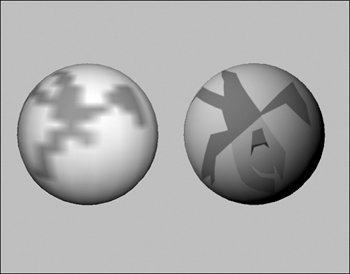
You'll make many changes as you work on your shader. Maya Interactive Photorealistic Renders (IPR) store information so that you can update your render in near real time. Your final rendered image updates as you tweak surface attributes. In some respects, IPR lets you work with a real-time render. Keep in mind that Maya creates a default light when you perform a render or IPR on your scene. Any scene needs at least one light to render. To perform an IPR render: 1. | Create a scene with a few objects in itfor example, a few primitives (Figure 14.26).
Figure 14.26. Arrange a simple scene so you have something to render. 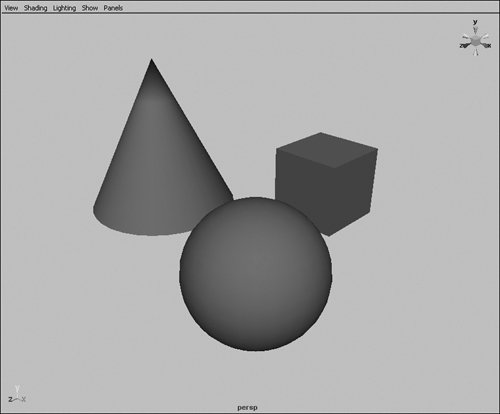
| 2. | Position the Perspective view as you want your image framed, and then click the IPR Render button  . .
The Render View window opens, and, after a moment of calculation, the rendered scene displays (Figure 14.27).
Figure 14.27. Because the textures are simple, the rendered scene looks fairly close to the real-time scene. A default light provides the illumination. 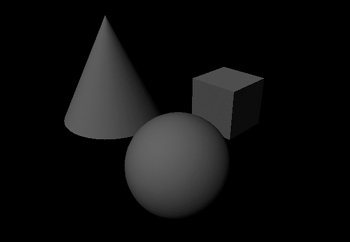
| | | 3. | Left-click, and drag a box around part of your image.
This box indicates the area of the image that will update.
| 4. | Select defaultLight from the Outliner, select the Intensity channel in the Channel Box, and middle mouse button-drag to adjust the brightness of the light (Figure 14.28).
Figure 14.28. Select the light intensity, and adjust it. 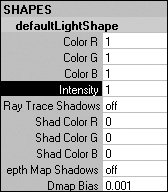
The area in the box updates, and you can see the effect of the brighter or darker light on this portion of your image (Figure 14.29).
Figure 14.29. The IPR render keeps track of light data as well as texture data and can show changes to both without needing to re-render. 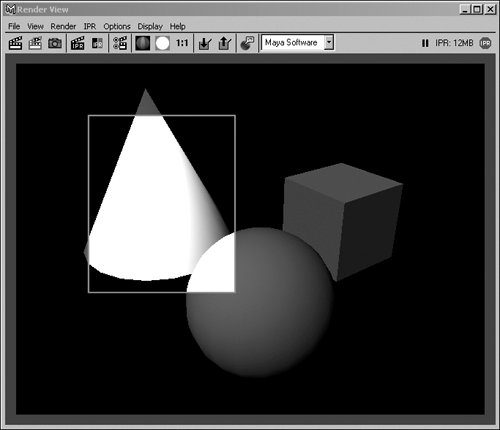
|
 Tip Tip
|
